


12-06-2022, 07:03 PM
TE is small simple Text Editor v1.73 written on 20 Nov 2021 for CP/M and © 2015-2021 Miguel Garcia / FloppySoftware. More information at his site, including source is at https://github.com/MiguelVis/te Yes, some software is still currently being written for CP/M.
Introduction
The te text editor is small, humble and useful.
It edits the full text in memory, so your system must leave enough free TPA for the text, after te is loaded and running.
It's screen oriented, and can be easily adapted to a lot of computers.
This copy has been configured for the Microbee and to use the same keys as Wordstar.
MESCC was used to compile it for CP/M and the Z80 cpu.
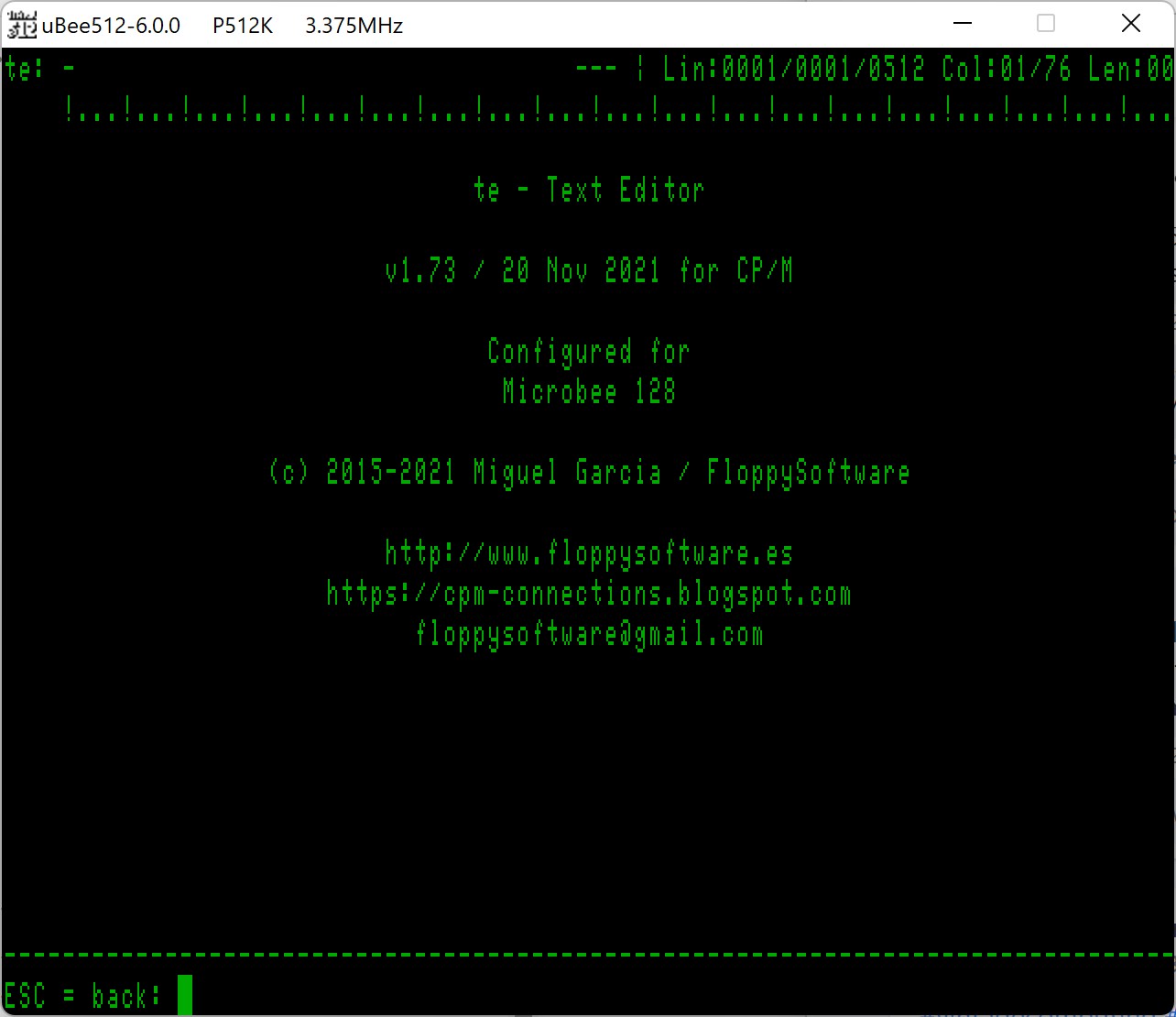
When started, it brings up a screen with a small header and footer. Press ESC and you get a Menu to Load/Save/Exit/etc. so if you press B (aBout) you get this :-
The Manual is on the website above as HTML, so converted it to a searchable PDF for easy off disk reading and to allow a printout, its 12 pages long. Also converted to a TXT file, which is included on the 2 disks. Use BISHOW (F -Forward, B - Back & X - eXit) to scroll up and down the Text file. I have put it on both a 5.25" & 3.5" disk to be able to be used on all disk based Microbees.
So in the MBeeTech Repository in the Microbee\Software\Applications\Wordprocessors folder, we placed
te_ds40.dsk
te_ss80.dsk
te_manual.pdf <-- in Microbee\Documentation\Manuals\Software folder
Introduction
The te text editor is small, humble and useful.
It edits the full text in memory, so your system must leave enough free TPA for the text, after te is loaded and running.
It's screen oriented, and can be easily adapted to a lot of computers.
This copy has been configured for the Microbee and to use the same keys as Wordstar.
MESCC was used to compile it for CP/M and the Z80 cpu.
When started, it brings up a screen with a small header and footer. Press ESC and you get a Menu to Load/Save/Exit/etc. so if you press B (aBout) you get this :-
The Manual is on the website above as HTML, so converted it to a searchable PDF for easy off disk reading and to allow a printout, its 12 pages long. Also converted to a TXT file, which is included on the 2 disks. Use BISHOW (F -Forward, B - Back & X - eXit) to scroll up and down the Text file. I have put it on both a 5.25" & 3.5" disk to be able to be used on all disk based Microbees.
So in the MBeeTech Repository in the Microbee\Software\Applications\Wordprocessors folder, we placed
te_ds40.dsk
te_ss80.dsk
te_manual.pdf <-- in Microbee\Documentation\Manuals\Software folder
---------------------------
ChickenMan
ChickenMan