


03-08-2022, 02:27 PM
While recently sorting through my Microbee manuals collection, I discovered I had the dGRAPH User Manual that I had not scanned previously. Couldn't find it on the internet either, so now all 174 A4 pages are scanned and converted to a searchable PDF as usual.
The Manual was written by Michael Olfe in 1983 for Fox & Geller Inc.
dGRAPH has been designed to help you produce a variety of charts
without any special knowledge or training. All you need to know is
how to start up your computer. You do not need any other program to use
dGRAPH, though it can be used with many other programs which produce
data files, including dBASE II.
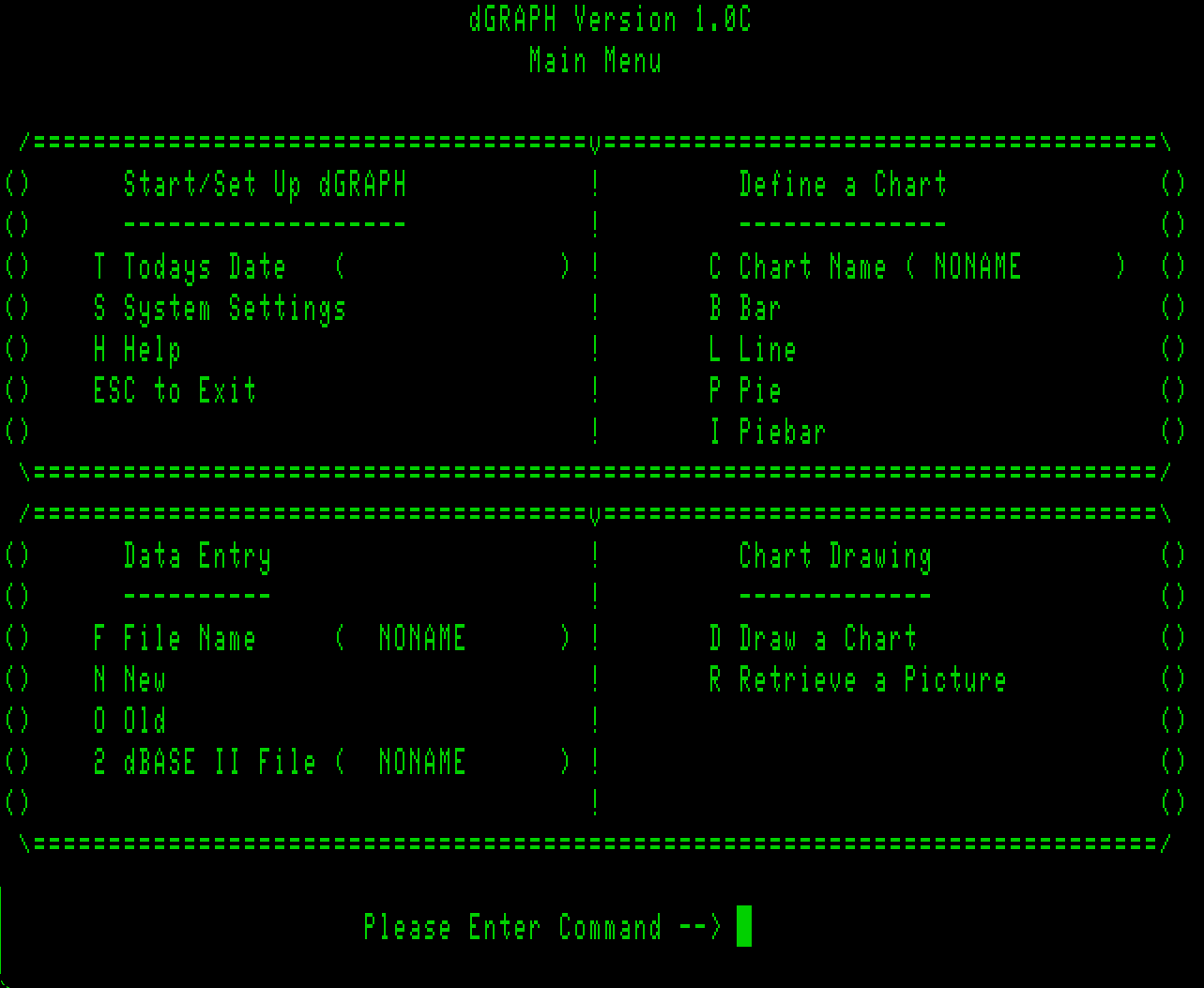
With a search of the net, I eventually found the software, ver 1.0c. Placed all files on a bootable DS80 disk as it is to big to fit on a smaller disk. Installed it for the Microbee, the program when run and presents you with :
The Manual suggests you load in the DEMO file to produce a Bar Chart and runs you through all the steps explaining all the options. The final graph is printed to your printer only, you only see an ascii simulation graph on your monitor. From A: if you type in DGRAPH SAMPLE1 PICTURE it will print out a graph. I used my Premium 128k and a Microbee DP 80 printer plugged into the Parallel port and it printed out :
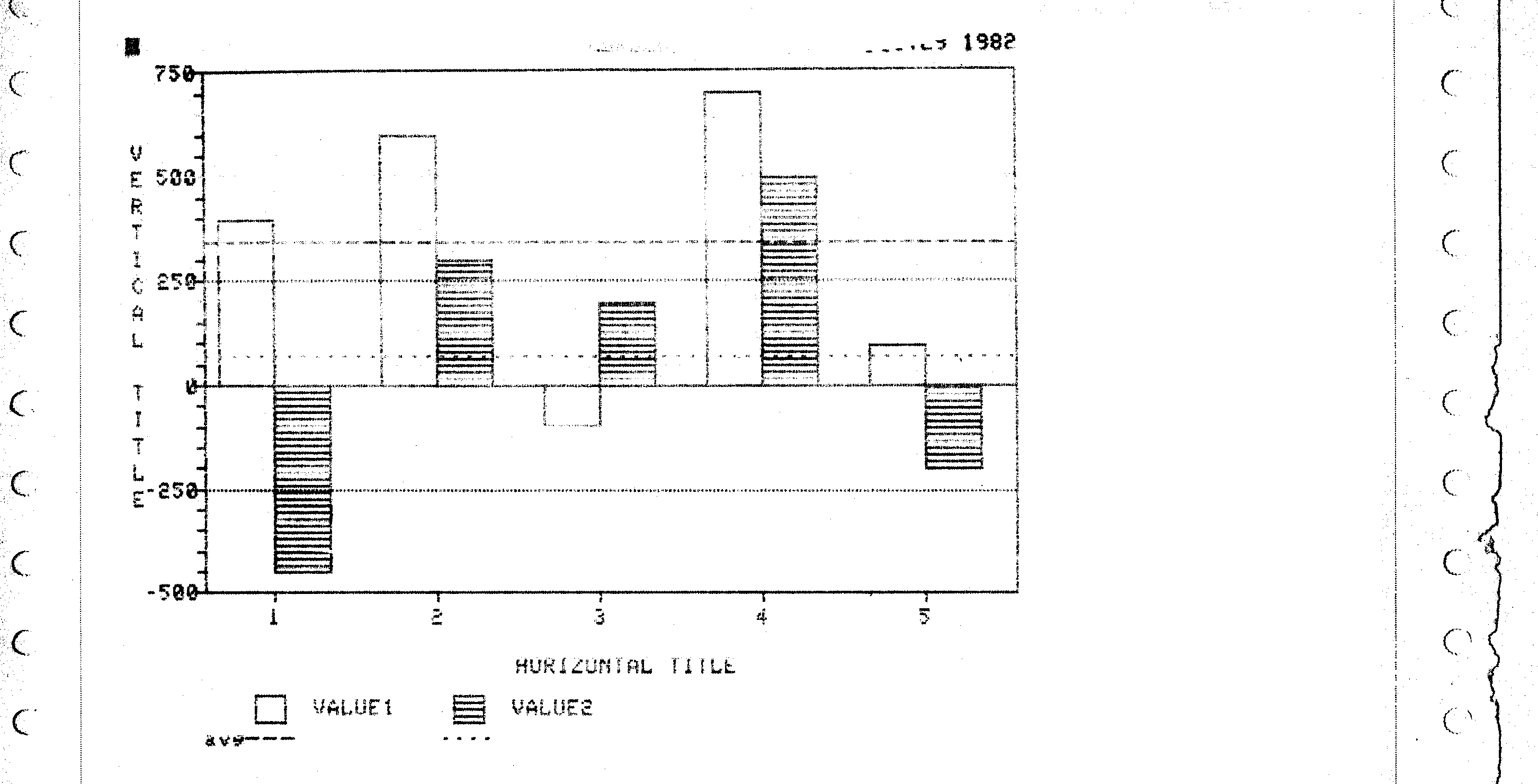
My printer ribbon is almost dead so had to do some fancy work to get a viewable scan and final pic, but there are some part missing from the top and bottom.
So in the MbeeTech Repository in the Microbee\Documentation\Manuals\Software folder we placed
dgraph_user_manual.pdf
dgraph_ds80.dsk <-- in Microbee\Software\Applications folder
The Manual was written by Michael Olfe in 1983 for Fox & Geller Inc.
dGRAPH has been designed to help you produce a variety of charts
without any special knowledge or training. All you need to know is
how to start up your computer. You do not need any other program to use
dGRAPH, though it can be used with many other programs which produce
data files, including dBASE II.
With a search of the net, I eventually found the software, ver 1.0c. Placed all files on a bootable DS80 disk as it is to big to fit on a smaller disk. Installed it for the Microbee, the program when run and presents you with :
The Manual suggests you load in the DEMO file to produce a Bar Chart and runs you through all the steps explaining all the options. The final graph is printed to your printer only, you only see an ascii simulation graph on your monitor. From A: if you type in DGRAPH SAMPLE1 PICTURE it will print out a graph. I used my Premium 128k and a Microbee DP 80 printer plugged into the Parallel port and it printed out :
My printer ribbon is almost dead so had to do some fancy work to get a viewable scan and final pic, but there are some part missing from the top and bottom.
So in the MbeeTech Repository in the Microbee\Documentation\Manuals\Software folder we placed
dgraph_user_manual.pdf
dgraph_ds80.dsk <-- in Microbee\Software\Applications folder
---------------------------
ChickenMan
ChickenMan