


16-10-2023, 11:22 AM
From my recent purchase of Microbee material there were 2 disks titled TIMETABLING and BACKUP DATA. The disks were both standard Microbee 5.25" DS40 disks thats auto-booting and with no copy protection. These were not original disks and were hand labeled Security. The disks imaged 100% error free on a Floppyio. Unfortunately, there was no manual for this program, can anyone help there?
The program was produced by J B & J T COLGAN in 1984 for Secondary Schools in Western Australia use. It will allow you to Initialize, Prepare, List, Analyse, etc a Secondary school students timetable. Its boots to the Microbee USR program where you select 9 to continue to the opening menu -
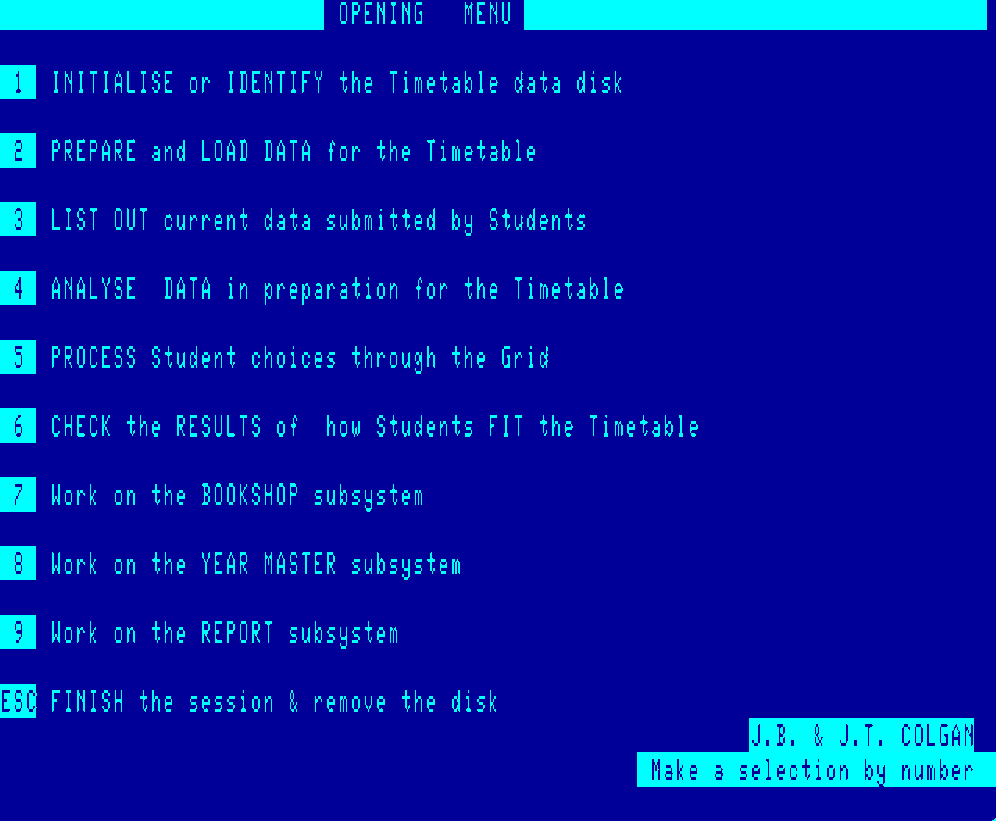
Each section appears well documented so should not be to difficult to use the program. Its intended to run in a 2 disk 128k Microbee with main program disk in A: drive and the backup program in B: drive.
So in the MbeeTech Repository in the Microbee/Software/Education folder we placed
timetabling_program_ds40.dsk
timetabling_backup_program_ds40.dsk
The program was produced by J B & J T COLGAN in 1984 for Secondary Schools in Western Australia use. It will allow you to Initialize, Prepare, List, Analyse, etc a Secondary school students timetable. Its boots to the Microbee USR program where you select 9 to continue to the opening menu -
Each section appears well documented so should not be to difficult to use the program. Its intended to run in a 2 disk 128k Microbee with main program disk in A: drive and the backup program in B: drive.
So in the MbeeTech Repository in the Microbee/Software/Education folder we placed
timetabling_program_ds40.dsk
timetabling_backup_program_ds40.dsk
---------------------------
ChickenMan
ChickenMan